One app for salon suite buildings and booth rental salons. Owners collect weekly rent, track licenses and book shared space. Pros pay in two taps, report issues and reach the front desk.
The demo runs on sample data for a fictional location, Bloom Suites. Nothing to install.
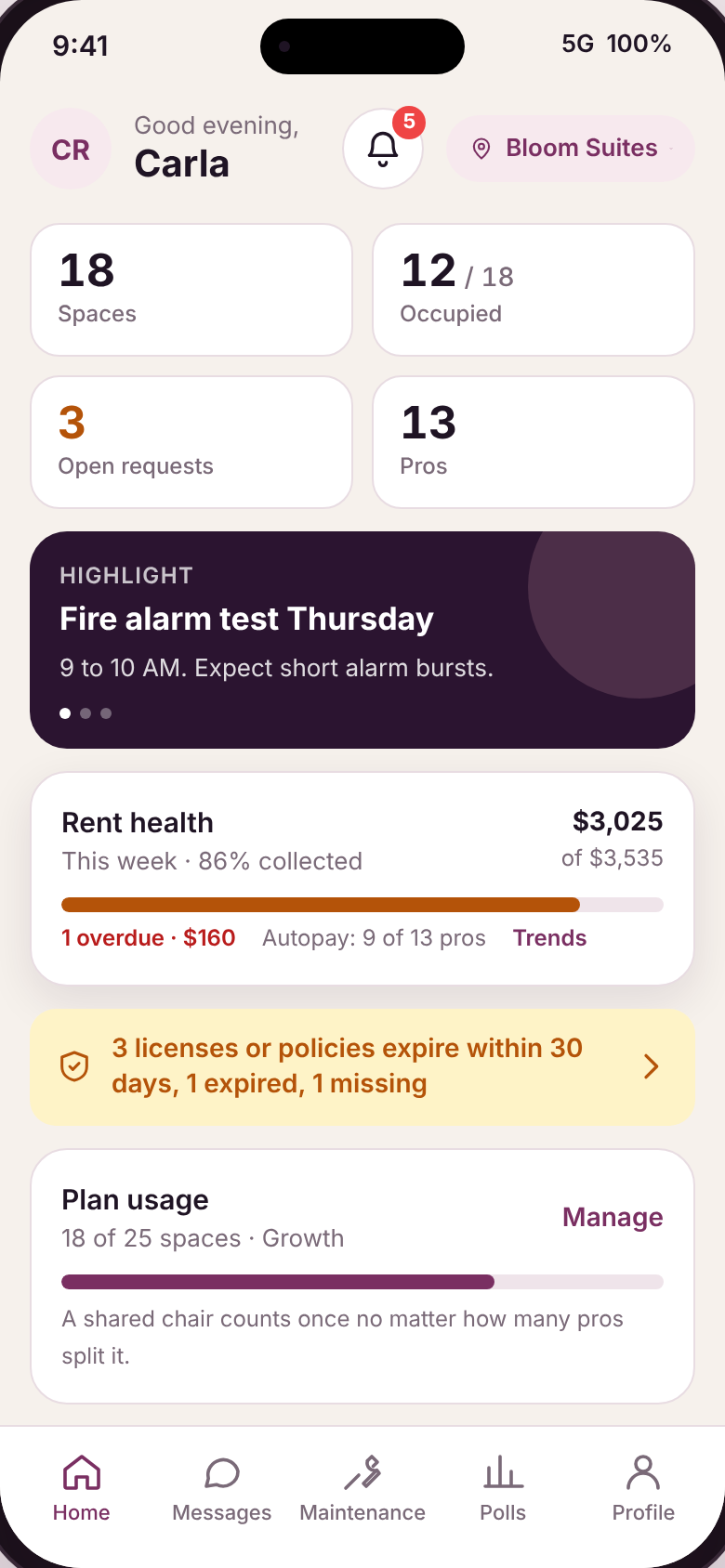
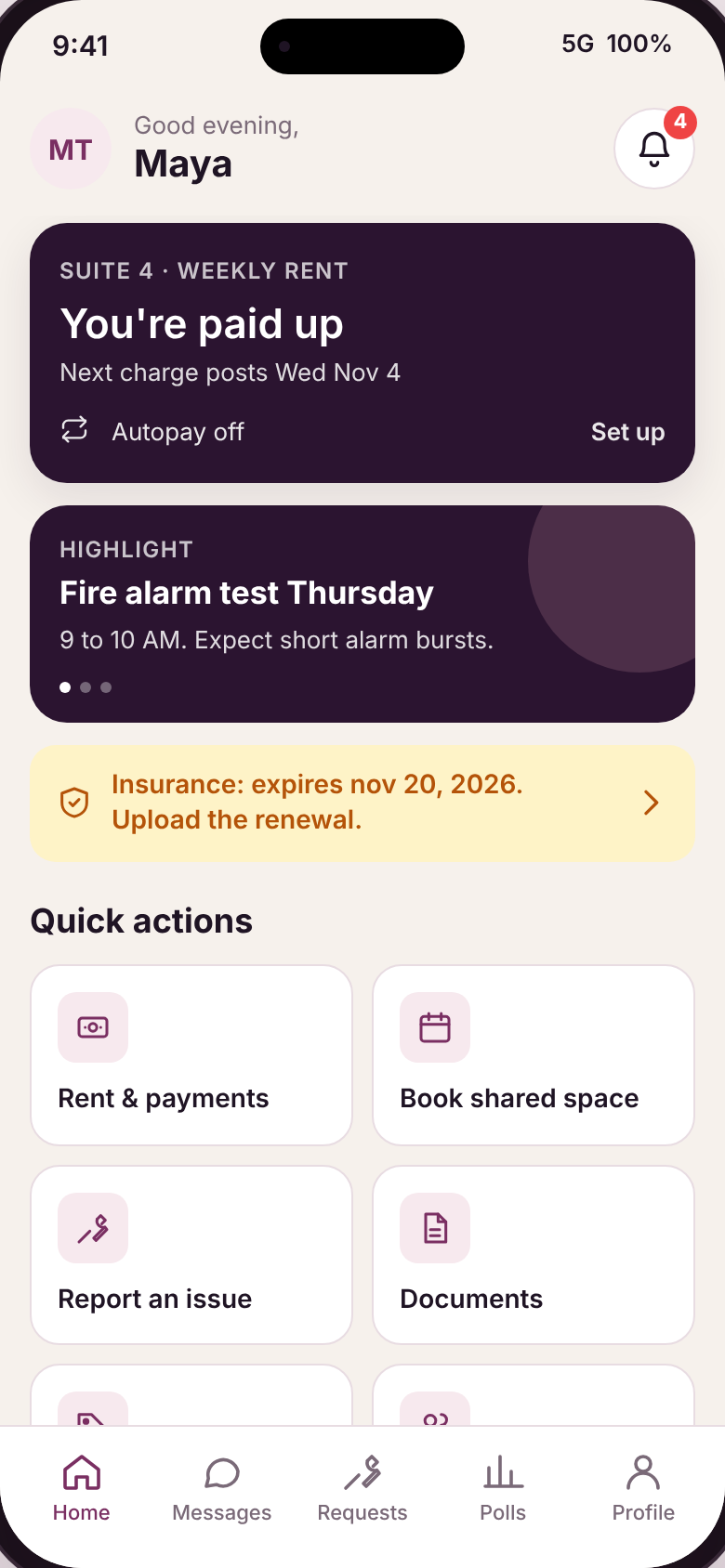
HelloNido already handles rent, maintenance, messaging and documents for landlords. The salon version keeps that engine and changes the three things that are different about chairs and suites.
Charges post every Monday, reminders go out 3 days ahead, and autopay pulls on the due date. You pick which cycles to offer. Each agreement can be weekly, bi-weekly or monthly, side by side at one location.
A chair has seven day slots. One pro can hold Tuesday to Saturday and another Sunday and Monday, each with their own rate, charges and add-ons. The chair still counts once on your plan.
Every pro uploads their license and liability insurance with an expiration date. Reminders at 30 days, 7 days and the day of. Your dashboard shows who is current, expiring or expired.
These are not mockups. Every screen below is live in the demo and responds to taps.
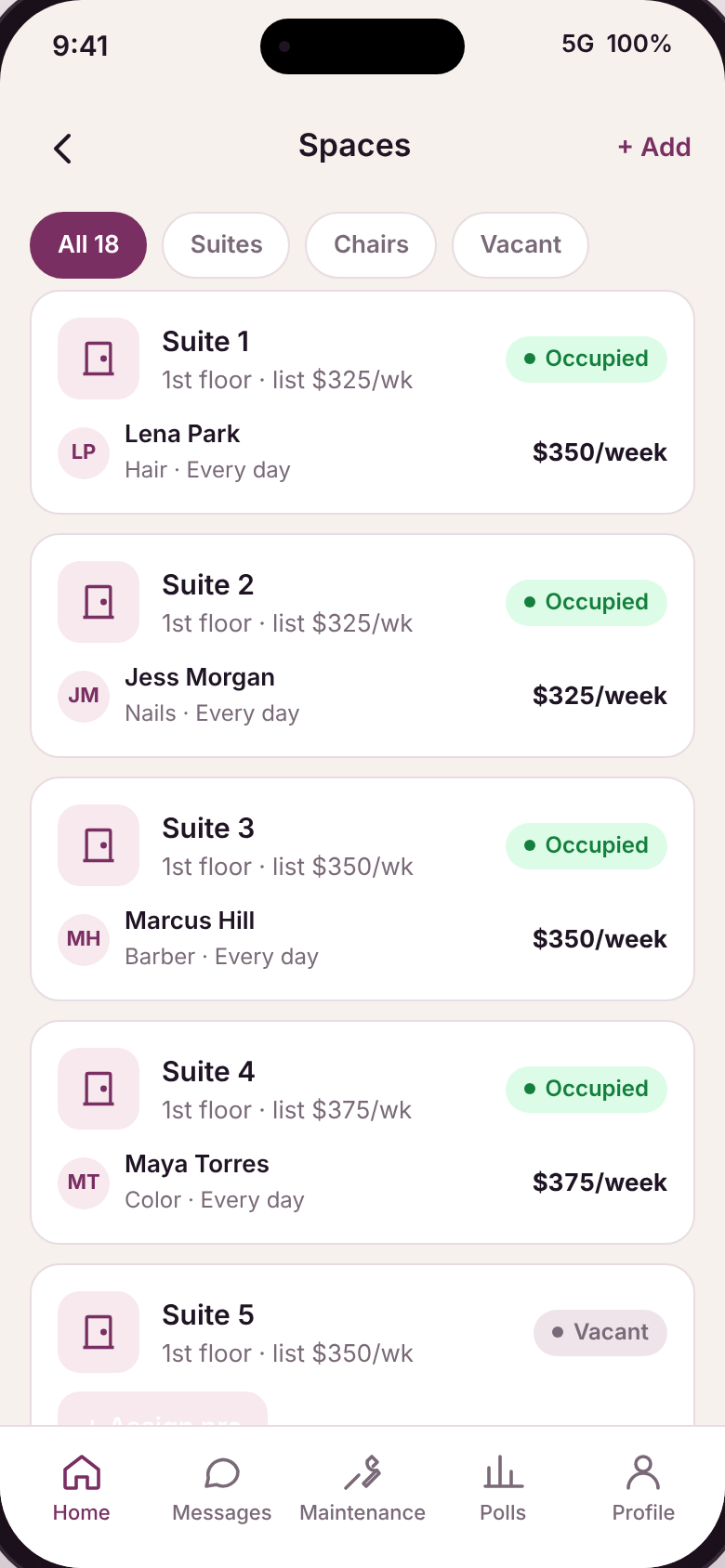 SpacesSuites and chairs with status and rate
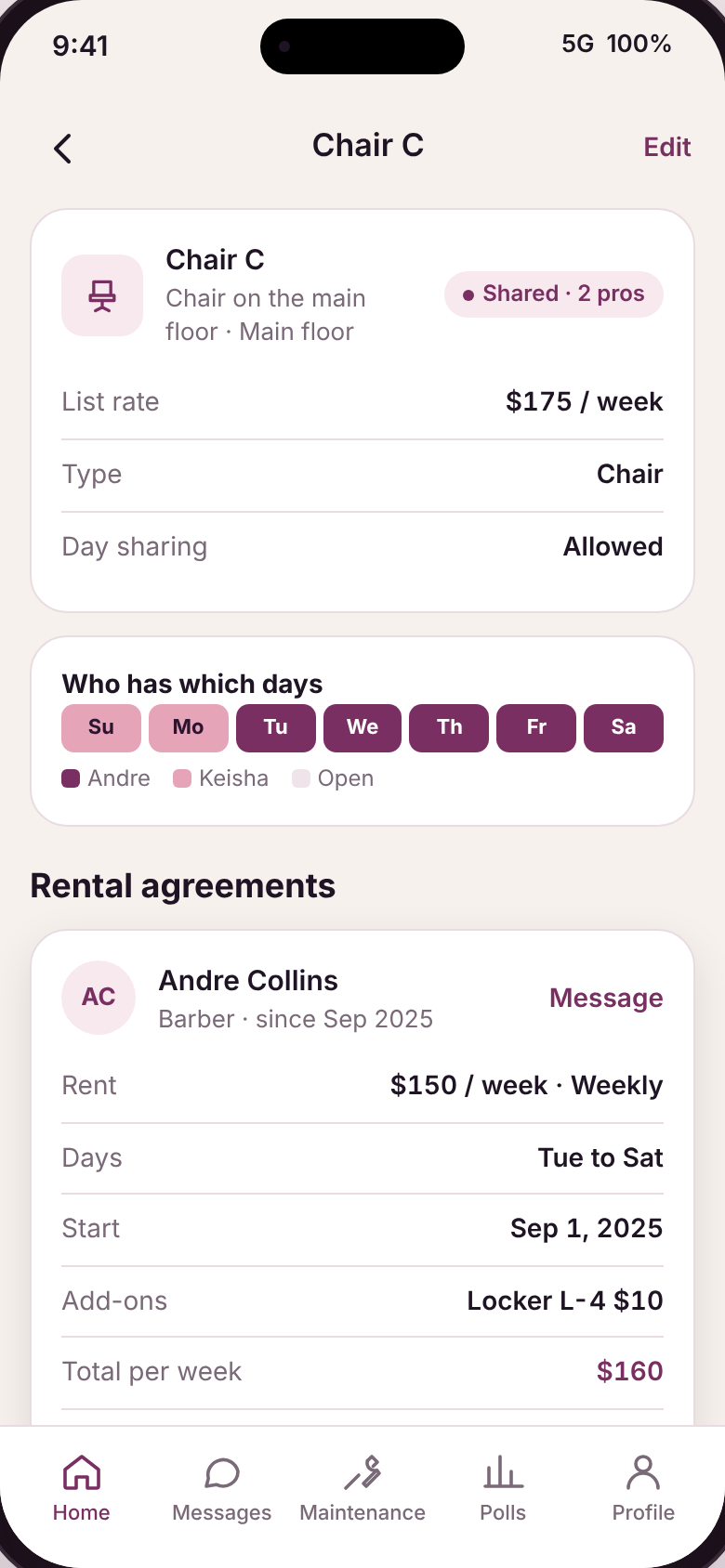 Shared chairWho has which days, two agreements
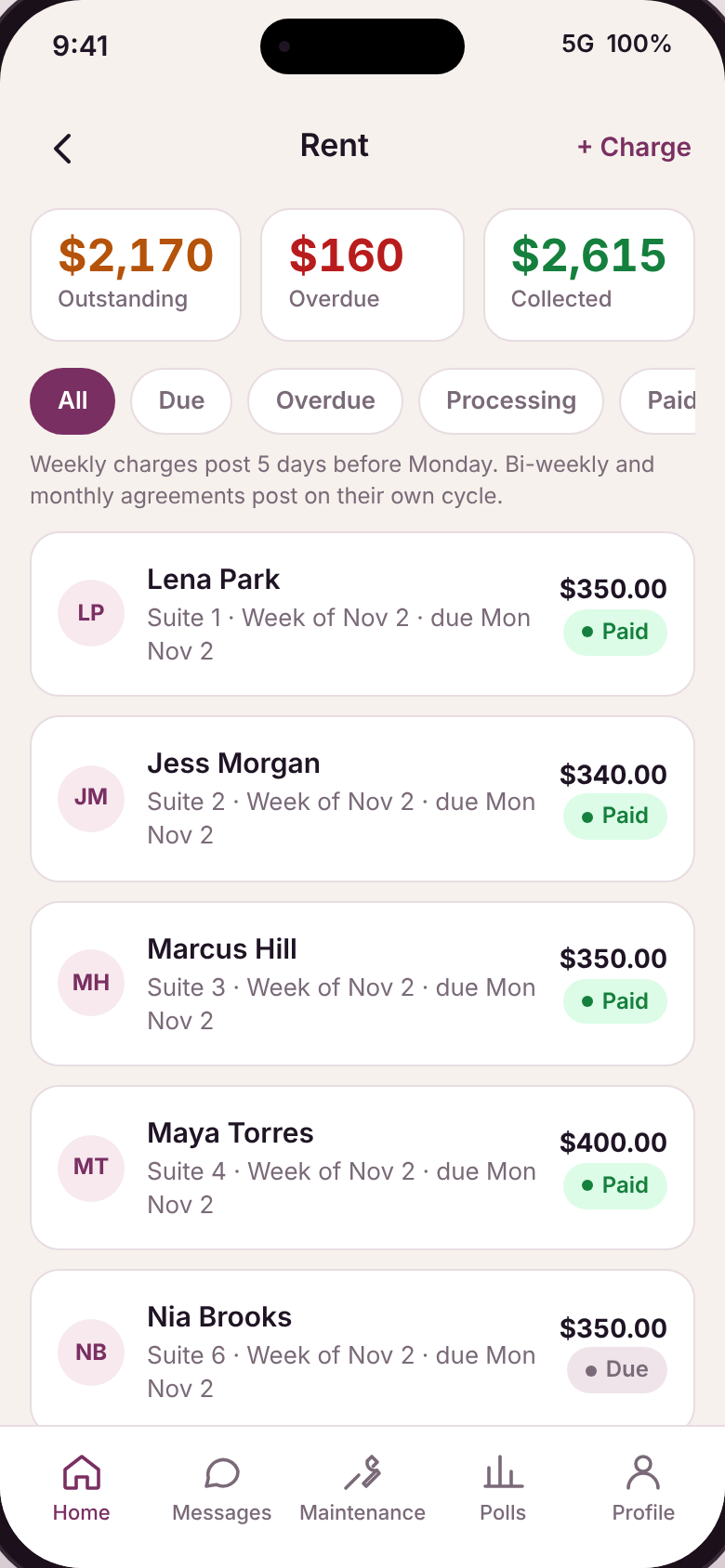 RentOutstanding, overdue, collected
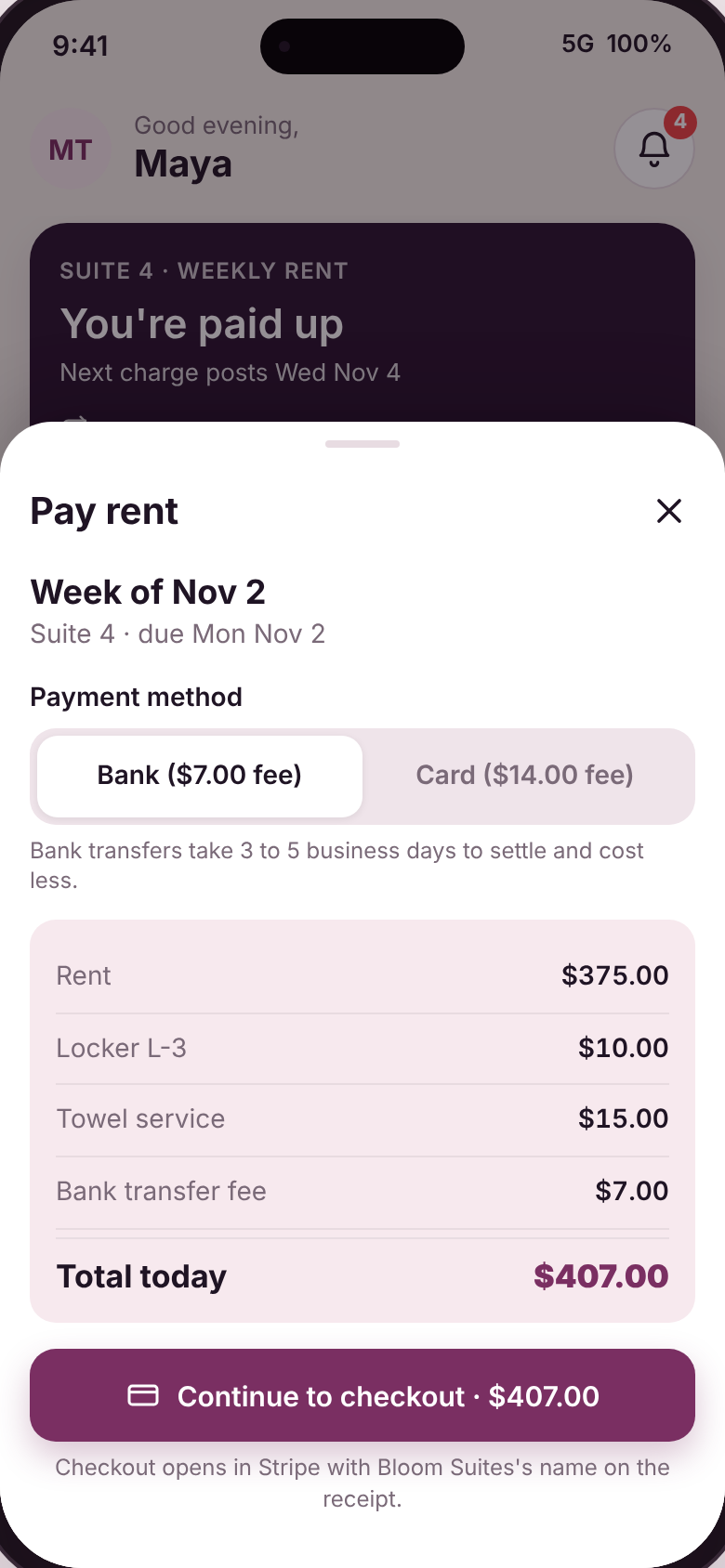 Pay rentFee shown before the pro commits
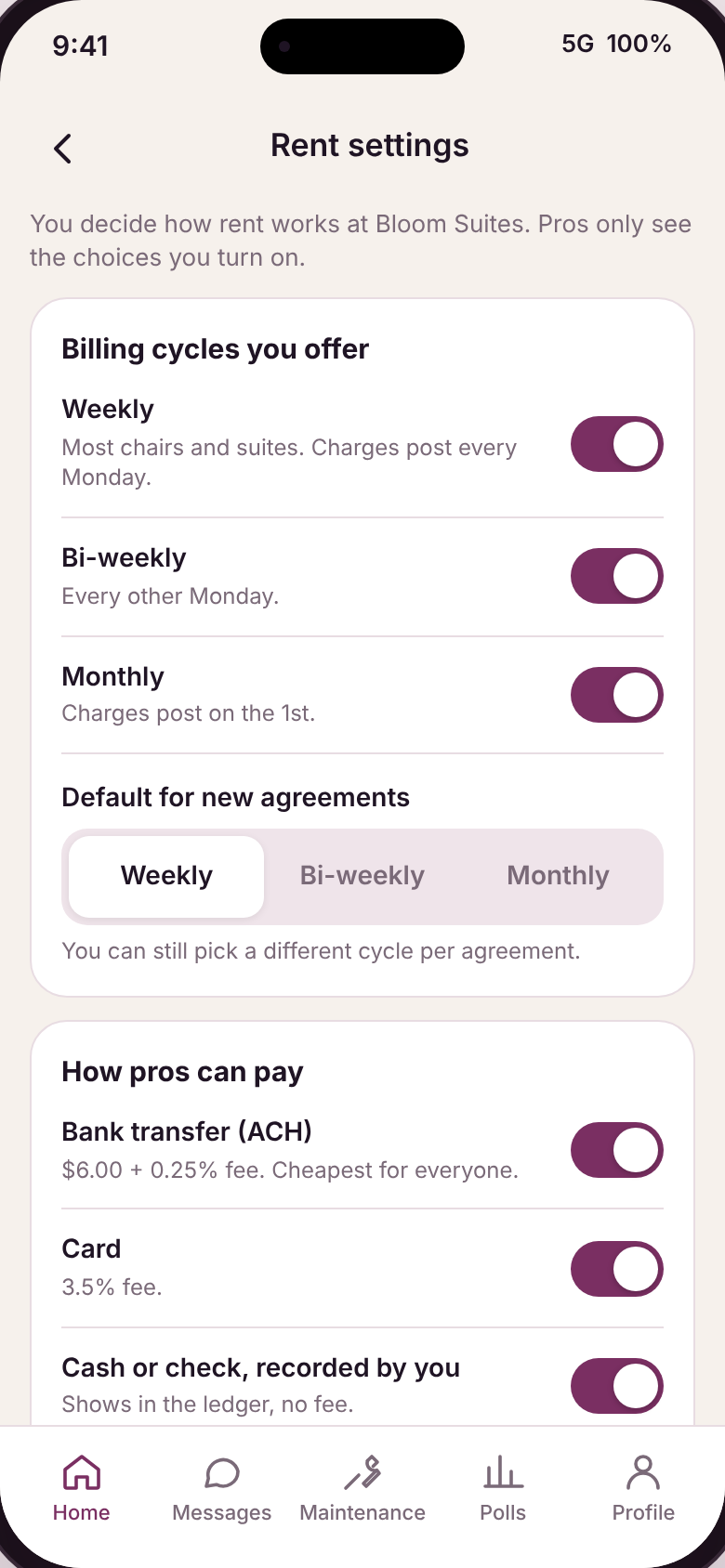 Rent settingsYou decide cycles, methods, deposits
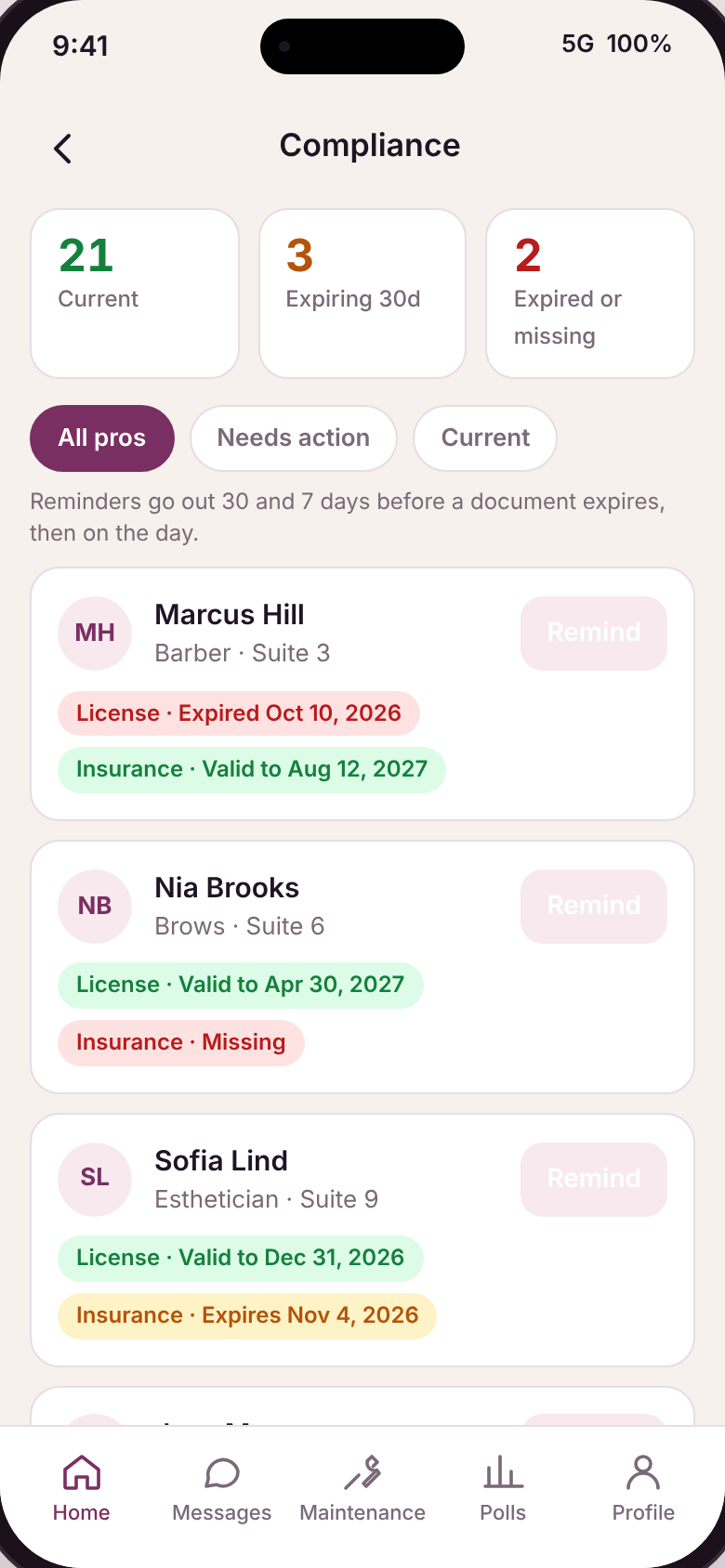 ComplianceCurrent, expiring, expired at a glancePro homeRent due, autopay, quick actionsOwner homeRent health, plan usage, alerts
Client booking, commission payroll and retail POS. Pros already use Vagaro, GlossGenius, Square or Booksy for clients. The app links out to those instead of competing with them.
We are taking one salon suite building or booth rental salon through setup, launch and the first 90 days of weekly rent. You get the app shaped around how your location actually runs. We get a real salon to build against.
Yes. The cycle is set per rental agreement. Turn on the cycles you want to offer in Rent settings, set a default, and override it per space when you assign a pro.
A chair is one space whether one pro or two share it. Plans count physical spaces, not people. Sharing a chair never costs you a second slot.
Your choice: the pro, you, or split. Pros always see the dollar amount before they confirm. Bank transfers are priced well below card on purpose, so most pros pick bank.
Yes. Turn on a security deposit (one, two or four weeks) and a key or door-code fee. Both show on the agreement and are collected at move-in.
The pro and the owner both get reminders at 30 days, 7 days and the day of. After that the pro shows as Expired on your compliance screen. Whether that blocks anything is a setting, not a rule.
No. Pros keep Vagaro, GlossGenius, Square or whatever they use for clients. This app is for the rent, the building and the relationship between you and your pros.